
Mise ate my Makefile
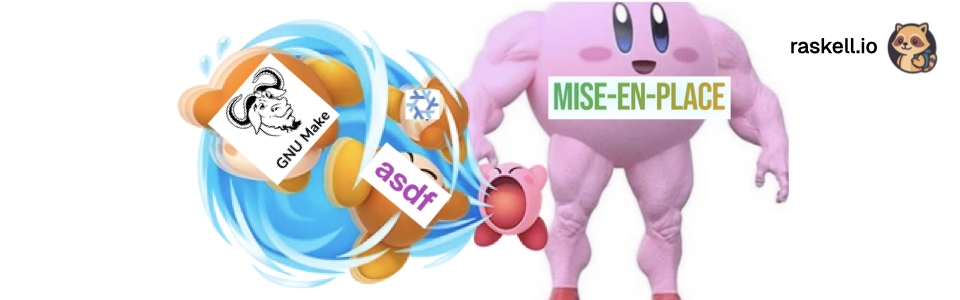
I maintain around forty repositories across four GitHub organizations. Zentinel alone accounts for over thirty: the core proxy, a Rust SDK, and a growing collection of agents for WAF inspection, auth, rate limiting, GraphQL security, and a dozen other edge concerns. Archipelag spans an Elixir coordinator, a Rust node agent, Python and TypeScript SDKs, mobile agents in Kotlin and Swift, and infrastructure-as-code repos. Cyanea is Elixir with Rust NIFs and a separate Rust bioinformatics library. Then there are the standalone tools: Conflux (Rust CRDT engine), Sango (Rust edge diagnostics CLI), Shiioo (Rust agentic orchestrator), Vela (Rust bare-metal deployment), Refrakt (Gleam web framework), Kurumi (Svelte local-first app), and this site you are reading (Zola).
The languages span Rust, Elixir, Gleam, Python, TypeScript, Kotlin, Swift, and whatever shell scripts accumulated over the years. Every project needs a toolchain. Most need task automation. All of them need to be approachable for a contributor who clones the repo for the first time.
The Makefile approach was breaking down. So was everything else I tried.
The standard setup for most of my Rust projects was a Makefile with targets for build, test, clippy, fmt, and release. Simple enough for one repo. The problem surfaces when you maintain thirty of them.
GNU Make and BSD Make disagree on syntax in ways that cause silent failures. A Makefile that works on my Linux CI runner breaks on a contributor’s macOS laptop because of a conditional or a shell invocation difference. The fix is always “use GNU make,” but that means documenting it, adding a check, and fielding issues from people who forget.
Worse, Makefiles cannot declare tool dependencies. A Rust project needs a specific Rust version, maybe protoc for gRPC, maybe cargo-watch for development convenience. The Makefile assumes these tools exist. When they do not, the developer gets a cryptic error five minutes into their first build.
So projects accumulated scaffolding:
.rust-version
.tool-versions
Makefile
scripts/setup.sh
scripts/ci.sh
scripts/release.sh
.envrc
Six files to express what amounts to: “this project uses Rust 1.83, needs protoc, and has five things you can run.” Multiply that by forty repos and you have a maintenance surface that nobody wants to touch. The scripts/ folder in particular had a way of growing silently. Someone adds a helper. Someone else copies it from another project with modifications. Six months later you have three slightly different versions of the same release script across three orgs.
The Elixir projects had it worse. Elixir needs Erlang/OTP at a specific version, then Elixir itself at a matching version, then Node for asset compilation in Phoenix, then possibly Rust for NIFs (Cyanea compiles Rust bioinformatics code into the BEAM release). Four tool dependencies before you write a line of application code. asdf handled the version management, but slowly and without task automation, so you still needed a Makefile on top.
I gave Nix a serious try. The promise is appealing: declare your entire development environment in a single file, get reproducible builds, never worry about system state. The Nix shell concept is genuinely elegant.
In practice, the cost was too high for my use case. Nix’s learning curve is steep even for experienced engineers. The language is its own thing. The documentation assumes you already understand the Nix store model. When something breaks, the error messages point at derivation hashes, not at the thing you actually did wrong.
The bigger issue was onboarding. If a contributor wants to fix a typo in a Zentinel agent’s README, asking them to install Nix and understand flakes is a non-starter. The tool that manages your development environment should not itself become a project you have to learn. Nix solves a harder problem than I have. I do not need bit-for-bit reproducible builds across machines. I need “install Rust 1.83 and run the tests.”
asdf was my default for years. It handled the version management problem well enough. The plugin system meant I could manage Rust, Elixir, Erlang, Node, and Python versions with a single .tool-versions file.
Three things pushed me away.
First, speed. asdf is shell scripts. Every invocation pays the cost of sourcing plugins, resolving versions, and shimming binaries. On a fast machine you barely notice. On CI, where you run asdf install in a fresh environment, the overhead adds up. Mise is a compiled Rust binary. It is meaningfully faster at both installation and version resolution.
Second, no task automation. asdf manages tool versions. That is all it does. You still need Make or a scripts folder for project tasks. That means two tools, two configuration surfaces, two things to document.
Third, plugin quality varied. The core plugins for Node and Ruby were solid. Plugins for less mainstream tools could be stale, broken, or missing. Mise started as an asdf-compatible rewrite and inherited the plugin ecosystem, but its built-in backends for common tools (Rust, Node, Python, Go, Erlang, Elixir) are faster and more reliable than shelling out to plugins.
Mise is a single Rust binary that combines tool version management and task running into one configuration file per project. It does asdf’s job and Make’s job in a single tool.
Here is this site’s configuration. The entire thing:
# mise.toml (raskell.io)
[tools]
zola = "0.19"

[env]
_.file = ".env"

[tasks.serve]
description = "Start the Zola development server"
run = "zola serve"

[tasks.build]
description = "Build the site for production"
run = "zola build"

[tasks.check]
description = "Check the site for errors without building"
run = "zola check"

[tasks.new]
description = "Create a new article"
run = """
#!/usr/bin/env bash
if [ -z "$1" ]; then
  echo "Usage: mise run new <article-slug>"
  exit 1
fi
SLUG="$1"
DATE=$(date +%Y-%m-%d)
FILE="content/articles/${SLUG}.md"
cat > "$FILE" << ARTICLE
+++
title = ""
date = ${DATE}
description = ""
[taxonomies]
tags = []
categories = []
[extra]
author = "Raffael"
+++
ARTICLE
echo "Created $FILE"
"""
One file. Declares the tool (Zola 0.19), loads environment variables, and defines every task a contributor needs. mise install sets up the toolchain. mise tasks shows what is available. mise run serve starts the dev server. No Makefile. No scripts folder. No documentation page explaining how to get Zola at the right version.
For a Rust project like Shiioo (the agentic orchestrator), the configuration is larger but follows the same pattern:
# .mise.toml (shiioo)
[tools]
rust = "latest"

[env]
RUST_LOG = "info"
RUST_BACKTRACE = "1"
_.path = ["./target/release", "./target/debug"]

[tasks.build]
description = "Build all crates in release mode"
run = "cargo build --release"

[tasks.test]
description = "Run all tests"
run = "cargo test"

[tasks.clippy]
description = "Run clippy lints"
run = "cargo clippy --all-targets -- -D warnings"

[tasks.fmt]
description = "Format code with rustfmt"
run = "cargo fmt --all"

[tasks.ci]
description = "CI pipeline: format check, clippy, test"
depends = ["fmt-check", "clippy", "test"]

[tasks.dev]
description = "Full development build and run"
depends = ["fmt", "check", "test"]
run = "cargo run -p shiioo-server"
The depends key is where mise replaces the one thing Make was genuinely good at: task dependency ordering. mise run ci runs format checking, then clippy, then tests, in sequence. If clippy fails, tests do not run. It is not as expressive as Make’s file-based dependency graph, but for project automation tasks (as opposed to build tasks, which cargo or mix handle), it covers what I actually need.
For a multi-language project like Cyanea, the value is even clearer. The Elixir app needs Erlang, Elixir, Node, and Rust. One [tools] section pins all four. One mise install gets a contributor from zero to a working environment. Without mise, that setup involved installing asdf, adding four plugins, running asdf install, then installing direnv for environment variables, then reading the Makefile to figure out how to run things. With mise, it is two commands: mise install and mise run dev.
The real payoff is not in any single project. It is the consistency across all of them.
Every repo in every org follows the same contract:
mise installmise tasks to see what is availablemise run dev or mise run testThat is it. Whether the project is a Rust reverse proxy with thirty modules, an Elixir Phoenix application with LiveView and a NATS integration, a Gleam web framework, or a static site built with Zola, the entry point is identical. The person cloning the repo does not need to know which build system the project uses internally. They do not need to read a CONTRIBUTING.md to find out whether it is make test or cargo test or mix test. It is always mise run test.
This matters more than it sounds. When you maintain projects across four orgs and multiple languages, the cognitive overhead per context switch is the actual bottleneck. I work on Zentinel (Rust) in the morning, switch to Archipelag (Elixir) after lunch, then fix something on this site (Zola) in the evening. Without a consistent interface, each switch means recalling which project uses which conventions. With mise, the interface is always the same. The implementation behind mise run test differs (cargo, mix, zola check), but I do not care about that. I type the same command and the right thing happens.
For new contributors, the effect is more pronounced. Zentinel’s agent ecosystem has over twenty Rust repos. A contributor who submits a PR to the WAF agent and then wants to help with the auth agent does not need to learn a new setup process. Same structure, same task names, same workflow. The consistency compounds.
Environment variables. Mise loads environment from the config file or from .env files, scoped to the project directory. When I cd into a project, the right environment is active. When I leave, it deactivates. No direnv, no .envrc, no source .env in every shell session.
Tool installation. mise install in a fresh clone gets every tool the project needs at the exact specified version. Make cannot do this. Make assumes the tools exist. That assumption breaks on new machines, in CI, and for every new contributor.
Task discovery. mise tasks lists every available task with its description. Make has make help patterns, but those are conventions, not built-in features. With mise, discoverability is the default.
File-based tasks. Any executable file in .mise/tasks/ becomes a task automatically. No registration, no config entry needed. For tasks that outgrow a one-liner in TOML but do not warrant a standalone script in scripts/, this is the right middle ground. The task is discoverable through mise tasks but lives as a normal shell script you can test independently.
Mise is not perfect. Honest assessment after running it across forty repos:
Dynamic dependencies. Make can express “rebuild this if that file changed.” Mise tasks are imperative: they run or they do not. If you need file-level dependency tracking, you still need a build system (cargo, mix, webpack). Mise orchestrates tasks. It does not replace the build tool.
Ecosystem maturity. Mise is younger than Make and asdf. The documentation is good but not exhaustive. Some features (like hooks and watch mode) are recent additions. The pace of development is fast, which means features arrive quickly but occasionally change between minor versions.
Team familiarity. Make is universal. Every engineer has encountered a Makefile. Mise is still relatively unknown. Introducing it to a team requires a short pitch, but the pitch is easy: “it is Make plus asdf in one tool, configured in TOML.”
Complex shell tasks. When a task grows beyond a few lines, the inline TOML string syntax gets awkward. The workaround is file-based tasks in .mise/tasks/, which works well but means the task definition lives in two places (TOML for metadata and task list, shell file for implementation).
If you are moving an existing project, here is the approach I settled on after migrating across all four orgs:
mise.toml (or .mise.toml) at the project root. Start with just [tools] to declare the required versions.[tasks] one at a time. Keep the Makefile around until everything is ported.[env] entries to replace .envrc or .env.example files.scripts/ to .mise/tasks/ as file-based tasks.Do not try to migrate everything at once. Start with the three tasks developers use daily (usually dev, test, and build). The rest can move incrementally. I also settled on a few naming conventions that help across projects: use clear verb-noun prefixes like db-reset, cache-clear, test-unit. Consistent naming makes task discovery predictable even before you run mise tasks.
Mise is not a revolutionary tool. It does not do anything that was previously impossible. You could always install the right Rust version, write a Makefile, set up direnv, and maintain a scripts folder. What mise does is collapse all of that into a single file that is readable, portable, and consistent.
The compound effect is what matters. Forty repositories, four organizations, six languages, one pattern. Clone, install, run. No guessing which build system this particular project uses. No debugging a Makefile that works on Linux but breaks on macOS. No explaining to a contributor that they need asdf plus three plugins plus direnv plus GNU make before they can run the tests.
Every new project starts with a mise.toml. Setup takes two commands instead of a page of instructions. Contributors do not message me asking how to run things. They run mise tasks and figure it out.
That is the tool working.
[env] section replaces